8 Trust Signals That Make Customers Comfortable Buying Online
- Shoppers mostly leave because they don't trust you yet, not because of the price. Your site's job is to answer "is this place real?" within the first few seconds.
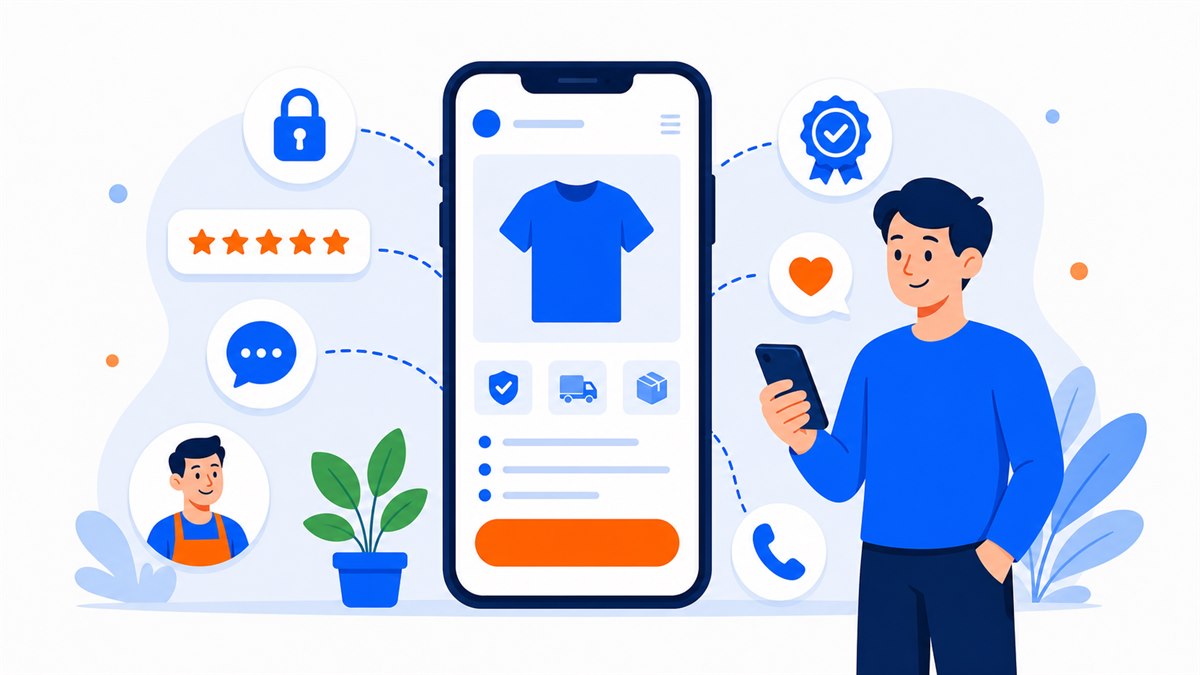
- The 8 trust signals to have: genuine reviews, real photos, clear contact details, transparent policies, HTTPS, written guarantees, a visible human presence, and fast replies.
- Avoid mistakes that destroy trust instantly: hype-heavy copy, stock images, no real contact info, and pages that take more than about 3 seconds to load.
- Put your 2–3 strongest signals at the top of the page and close to the order button — don't hide them at the bottom.
- Every trust signal you add is one more reason for a visitor to convert. Trust is your conversion rate.
Building customer trust online matters just as much as having a good product. A visitor sees your price, thinks it's fair, then hesitates at the order button or the phone-number field — and closes the tab. They're not rejecting your product. They simply don't know who you are or whether you're reliable.
Vietnamese shoppers have been burned before: transfer the money and the seller vanishes, the product looks nothing like the photos, nobody picks up the phone. So before they open their wallet, one question runs through their head: "Is this place real?" Your site has a few seconds to answer it.
This article lists 8 concrete trust signals. Every one of them can be added in an afternoon, and together they give shoppers enough confidence to leave their details.
Why are shoppers still hesitant to buy from your website?
It's not that shoppers are difficult. They're cautious because they've been scammed before, or heard about it from someone they know. A cosmetics seller once told me: the site looked great, the ads brought traffic, but only one in ten visitors ever sent a message. One look at the site made the reason obvious — not a single real photo of the shop, and the contact section was just an empty form with no phone number and no address.
Put yourself in the customer's shoes: you land on an unfamiliar page selling a $32 perfume, payment required upfront. Would you pay if the page shows no real storefront, no real person, not a single review from another buyer? Almost certainly not. Your customers feel exactly the same way.
Shoppers don't leave because of the price. They leave because they can't find a reason to trust you.
The good news is that trust can be built with very specific things on the page. Below are 8 trust signals, split into two groups.
Trust signals 1–4: reviews, real photos, contact details, and clear policies
1. Reviews from past customers — and they have to be genuine
One line from a real buyer carries more weight than ten sentences of self-praise. Screenshot a chat message from a happy customer (blur the name for privacy), a photo of them receiving the order, or a comment from your Facebook page, then put it on the site. Skip the generic "Excellent product, very satisfied" style quotes — anyone can spot those as made up. A plain line like "Arrived fast, lipstick color matches the photo exactly, already on my second order" is far more convincing.
2. Real photos of your space and products, not stock images
Stock photos are polished, but customers recognize them immediately. Photograph your actual shop, the products you actually sell, yourself actually packing an order. A pho restaurant should show the real broth pot and a steaming bowl being served at the table. A spa should show the treatment room, the product shelf, a therapist's hands at work. An honest, slightly rough real photo beats a borrowed glamour shot every time.
3. Clear contact information — a real person behind the page
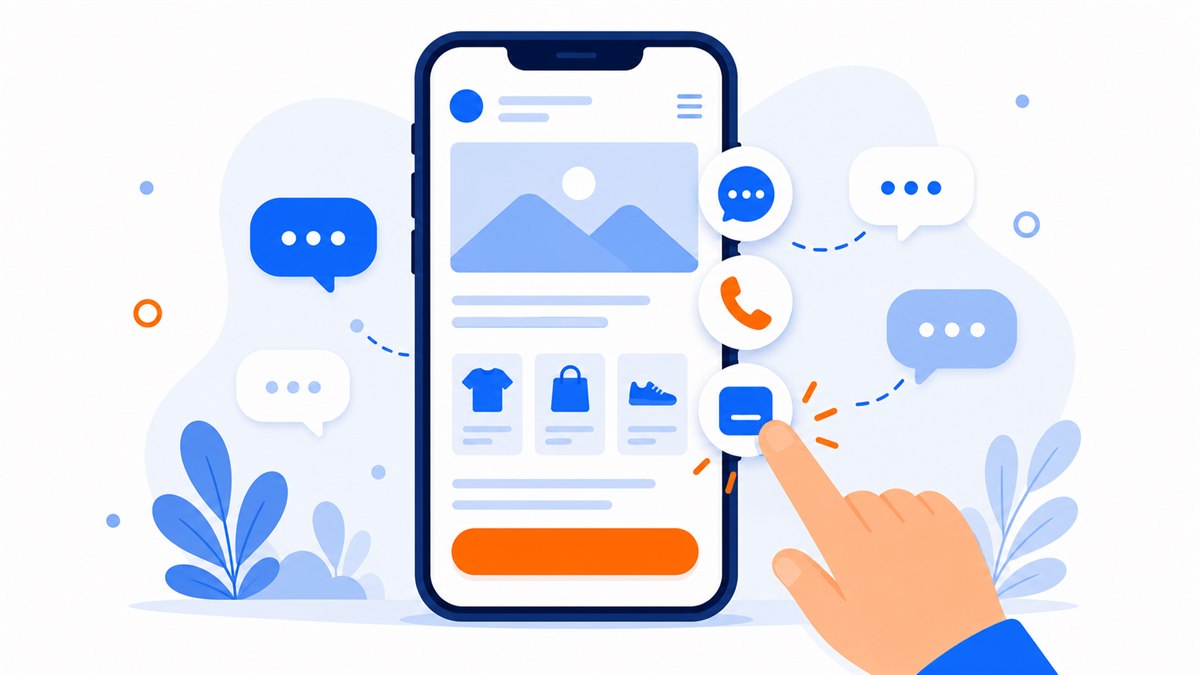
A phone number customers can call right now, Zalo, Messenger, and a physical address if you have a storefront. Shoppers are far more willing to buy when they know that if something goes wrong, someone will pick up. A floating call button and a Zalo button always visible at the corner of the phone screen is a simple approach that works.
4. Transparent policies: returns, delivery, and refunds
State clearly: how long delivery takes, how many days returns are accepted, who covers shipping on a shop error. When a customer sees you're willing to commit in writing, they understand you're not running a fly-by-night operation. A clothing shop that says "Free size exchange within 7 days" will close more orders than one that stays silent on the topic.
Trust signals 5–8: HTTPS, written guarantees, a human face, and fast replies
5. HTTPS and the security padlock
Look at the address bar: a small padlock and "https" tells shoppers that anything they type is encrypted and safe. Without HTTPS, modern browsers now display a "Not secure" warning in plain view. Nothing kills trust faster than that red label. This is a requirement, not an option.
6. Written guarantees and warranty terms
12-month warranty, full refund if unsatisfied, authentic goods with a receipt — every commitment you write down is one less worry for the customer. The important thing is to promise only what you can actually deliver. One disappointed customer tells ten others.
7. A human presence: introduce your team and yourself
A photo of the shop owner with a few lines like "I'm Linh, I've been running this spa in District 3 for six years" turns a cold page into something with a real person behind it. Customers buy from people, not from logos. Hair salons, spas, and clinics especially should let visitors see the face of the person who will serve them.
8. Fast replies when customers message
A customer messages at 9 p.m. and gets a reply the next morning — the order is already gone cold. Response speed is itself a trust signal: it shows someone is actively running the shop. Pin Zalo and Messenger buttons directly on the page so you see inquiries the moment they arrive; don't make customers hunt for a way to reach you.

Mistakes that destroy trust in seconds
Some small errors are enough to send a visitor away even when your product is genuinely good:
- Over-the-top hype — giant red text screaming "SHOCKING PRICE", "TODAY ONLY", "CHEAPEST IN THE UNIVERSE" everywhere makes the page look like a scam.
- No real contact information — just an empty form with no phone number and no address. Shoppers immediately think "they must be hiding from someone."
- Stock images — the same model photo used by a dozen other shops. Vietnamese shoppers recognize these instantly.
- Slow loading or broken UI — most people leave if a page takes more than about 3 seconds. A slow page, broken images, or unresponsive buttons signal sloppy work.
- Five-star reviews that all sound identical — ten comments with no names and no photos, all using the same phrasing. Anyone can tell they're fabricated.
Trust takes a long time to build and very little time to break. Something as small as a typo in the product name or a phone number that doesn't connect is enough to make a customer second-guess everything.
Applying these signals to a landing page and a full website
Whether you have a single ad landing page or a multi-page website, all 8 signals apply. The difference is in how you arrange them.
On a landing page, space is limited, so you have to be selective: put real reviews, real photos, and your refund commitment right next to the order button, because that's the moment a visitor is most on the fence. The logic for choosing and sequencing those content blocks is covered in the structure of a high-converting sales landing page — read it to understand what to put first and what to put second.
Writing copy that earns trust without sounding hollow is its own craft. I go into detail on that in how to write landing page copy that actually persuades. With a full website you have more room: a proper About page with team photos, a dedicated policy page, and a standalone reviews section.
One thing not to skip: add a tap-to-call button, Zalo, and Messenger so a visitor can close the deal the moment they're ready. I walked through setting these up in integrating Zalo, Messenger, and a contact form for faster conversions.
Why do trust signals push your conversion rate up?
Each trust signal you add is one more reason for a visitor to tap the button instead of leaving. Stack enough reasons and the initial hesitation fades. That is the moment your conversion rate climbs — without spending another dollar on ads.
If you want to go deeper on turning views into orders, conversion rate optimization for landing pages covers every detail: buttons, load speed, and page layout. Trust is the foundation; those techniques are what you build on top of it.
When you audit your own site, run through the basic trust checklist: HTTPS, a clickable phone number, Zalo, Messenger, Facebook, a short contact form, a clear address, real photos, visible policies, and a clean mobile layout. These details usually influence whether someone contacts you far more than a long about-us paragraph.
Then open your page on your phone as a first-time visitor: read the headline, look at the proof, tap the contact button, and try submitting the form. If anything makes you hesitate, your customers will hesitate there too.
Frequently asked questions
How do I build trust on a website when the shop is brand new with almost no past customers?
Start with what you have: real photos of your products and space, a photo of yourself packing orders, a short line introducing who you are. A clear return and refund policy also builds confidence without needing past customers at all. With each early order, ask for a quick review to gradually build up social proof.
Which trust signal should I prioritize first?
Three things to have right away: real photos, clear contact details (phone number and Zalo), and HTTPS. These are what visitors check in the first few seconds to decide whether to stay or leave, and all three can be set up quickly.
Does a shop really need to list a physical address on the site?
If you have a physical location, yes — an address tells customers you exist in the real world, not just on a screen. If you're purely online, compensate with a callable phone number, fast Zalo replies, and plenty of real photos so shoppers feel reassured.
Does HTTPS actually affect how much customers trust a site?
Yes. A site without HTTPS gets a "Not secure" warning plastered in the browser bar, which is enough to send visitors away. With a padlock and HTTPS, shoppers know the information they type is safe. It's the minimum requirement for any selling website.
Can fabricated customer reviews backfire?
Yes, and they're easy to spot. Made-up reviews tend to sound alike, have no names and no photos, and Vietnamese shoppers are used to seeing through them. Use real reviews from chat screenshots or comments instead — even a plain, slightly rough quote is far more believable.
Need a professional website or landing page?
Web Trong Ngày delivers in 24 hours, all-in for $40 — preview the demo first, pay only when you are happy, own it for life.